We understand the chilling feeling that descends when you realize a crucial file has vanished. The digital realm, for all its convenience, can sometimes feel like a labyrinth where cherished memories or vital work documents can become hopelessly lost. In these moments of digital distress, data recovery experts emerge not as sorcerers, but as skilled engineers and meticulous detectives, offering a tangible pathway back to what we thought was gone forever. They are the navigators of the submerged data, the architects of reconstruction.
Data loss is not a singular event, but a spectrum of failures that can affect any digital storage medium. From the everyday accidental deletion to the catastrophic hardware malfunction, the reasons for losing our digital footprint are diverse and often unforeseen. Understanding these causes is the first step in appreciating the complexity and necessity of professional data recovery services.
Accidental Deletion: The Most Common Culprit
It’s a mistake we’ve all made, a slip of the finger, a moment of distraction, and suddenly a file is gone. While operating systems offer a safety net in the form of a Recycle Bin or Trash folder, this is by no means an impenetrable shield. Files deleted bypass this initial containment and can be overwritten by new data, effectively erasing their original presence. The longer we wait and the more we use the affected drive, the higher the probability of permanent loss. This is akin to dropping a precious item in a busy marketplace; the longer it remains unattended, the more likely it is to be swept away by the crowd.
Hardware Failures: The Silent Saboteurs
Hard drives, solid-state drives (SSDs), USB drives, and memory cards are sophisticated pieces of technology, but they are not immune to failure. These failures can manifest in various ways.
Mechanical Hard Drive Issues
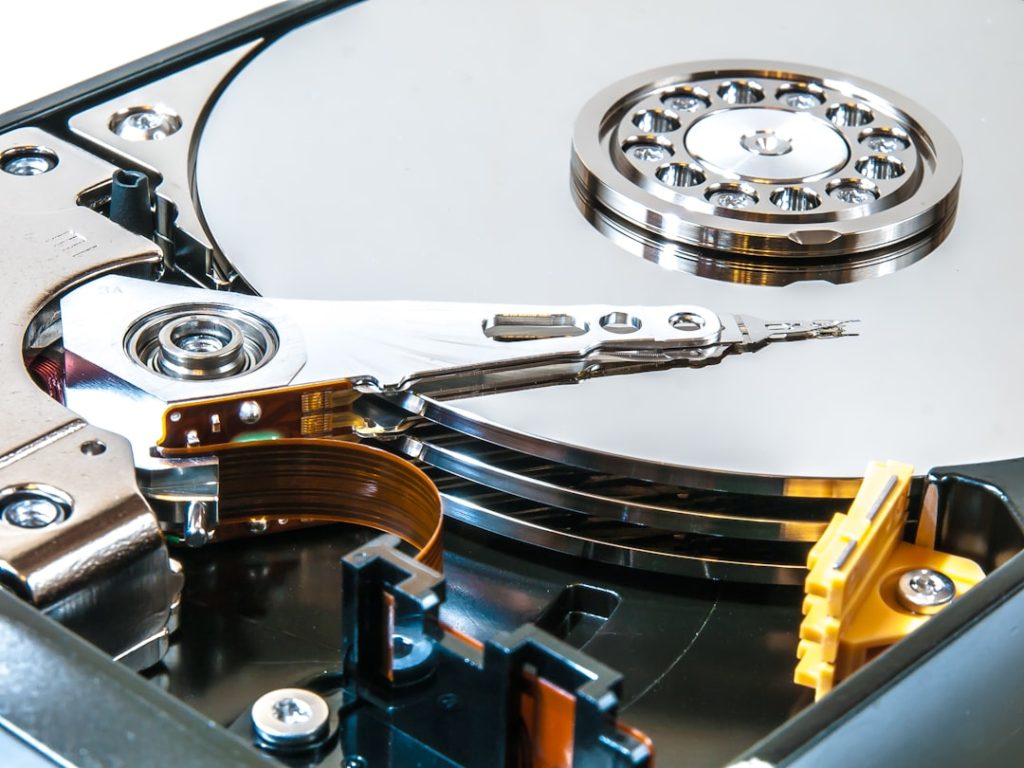
For traditional spinning hard drives, mechanical components like heads, platters, and motors can degrade over time or suffer sudden failure due to physical shock or electrical surges. A clicking or grinding sound, often described as a “death rattle,” is a common indicator of impending mechanical doom. These components are incredibly delicate, and even minor damage can render the drive inaccessible.
Solid-State Drive (SSD) Limitations
SSDs, while offering superior speed and durability in many respects, have their own failure modes. Their NAND flash memory cells have a finite number of write cycles. While this limit is substantial, heavy usage or manufacturing defects can lead to cell degradation and data corruption. Unlike mechanical drives, SSD failures can sometimes be more sudden and less predictable, leaving little room for error retrieval without specialized knowledge.
External Drive and Flash Media Vulnerabilities
External hard drives, USB flash drives, and SD cards are susceptible to physical damage, connector issues, and controller chip failures. While often more portable and convenient, their ruggedness can be deceptive. A dropped USB drive or a bent connector can easily render its contents inaccessible.
Software Corruption: The Digital Glitch
Beyond physical ailments, our data can also fall victim to software-induced maladies. Viruses, malware, unexpected power outages during file saving, or errors within the operating system itself can corrupt file systems and render data unreadable.
Malware and Ransomware Attacks
Malicious software is a pervasive threat. Viruses can intentionally delete or corrupt files, while ransomware encrypts data and demands payment for its decryption. This leaves us in a state of digital hostage, with our most valuable information held captive.
File System Corruption
The file system is the organizational structure of data on a drive. Errors in this system, caused by a variety of factors including improper shutdowns or disk errors, can make it impossible for the operating system to locate and access files, even if the data itself is physically intact.
Environmental Factors: The Unseen Adversaries
Even seemingly benign environmental conditions can pose a threat to our digital assets.
Water and Fire Damage
Exposure to water can cause short circuits and corrosion, while fire can physically destroy storage media, rendering data irretrievable through conventional means. The heat and smoke from a fire can also cause significant damage.
Power Surges and Electrical Issues
Sudden voltage spikes or dips can damage the delicate circuitry within storage devices, leading to immediate failure or gradual degradation of performance and data integrity. A lightning strike nearby can send a powerful surge through connected devices.
The Unlocking Mechanism: How Data Recovery Experts Work
The process of data recovery is intricate and requires a specialized skill set, advanced tools, and a controlled environment. It’s not simply a matter of plugging in a different cable; it’s a delicate operation that aims to reconstruct what has been broken.
The Clean Room Environment: A Sanctuary for Data
For many types of physical media failures, particularly with hard disk drives, clean rooms are essential. These are highly controlled environments where the air is meticulously filtered to remove microscopic dust particles that could otherwise contaminate the sensitive internal components of a hard drive during disassembly. Even a single speck of dust on a hard drive platter can cause irreversible damage and scratches, effectively destroying the data. The clean room is a sterile operating theater for our digital organs.
Diagnosis and Assessment: The Detective Work
The first critical step for any data recovery expert is a thorough diagnosis of the failed storage device. This involves using specialized diagnostic tools and techniques to pinpoint the exact nature of the problem, whether it’s a logical issue (e.g., file system corruption) or a physical failure (e.g., head crash, motor failure). This assessment guides the entire recovery strategy.
Logical Data Recovery: Reconstructing the Digital Blueprint
When the storage media itself is physically intact but the data is inaccessible due to software issues or accidental deletion, experts employ logical data recovery techniques.
File System Repair
This involves analyzing and repairing corrupted file system structures. Tools are used to scan the drive’s sectors, identifying remnants of deleted files and reconstructing the pathways to access them. It’s like finding scattered pieces of a puzzle and putting them back together in their original order.
Data Carving and Signature Analysis
In cases of severe file system corruption or overwritten data, experts may resort to “data carving.” This method scans the raw data on the drive for file signatures – unique patterns that identify the start and end of specific file types (e.g., TIFF for images, DOCX for documents). Even if the file system structure is gone, the data itself might still be present, waiting to be recognized.
Physical Data Recovery: The Surgical Intervention
When hardware failure is the culprit, the process becomes more akin to a delicate surgery.
Component Replacement
For mechanical hard drives with failed read/write heads or motors, experts will carefully swap out the damaged components with donor parts from an identical model of drive. This is where precise matching and advanced soldering skills are crucial. The goal is to restore the drive’s functionality to a point where data can be read.
Platter Swapping and Data Imaging
In severe cases, particularly when platters are damaged or the spindle motor has seized, platters may need to be carefully removed and transplanted into a working drive chassis. The ultimate goal is to create a sector-by-sector image of the drive’s contents onto a healthy storage medium, preserving the data as accurately as possible. This imaging process is like creating a perfect replica of a fragile artifact.
The Importance of Specialized Tools and Expertise
The tools used in professional data recovery are far beyond what a typical consumer has access to. These include:
- Clean Room Facilities: As mentioned, essential for opening drives.
- Imaging Software: Advanced software capable of creating bit-for-bit copies of failing drives.
- Hardware Imagers: Specialized devices for creating highly accurate data images.
- Head Replacement Tools: Precision instruments for swapping read/write heads.
- Splicing and Soldering Equipment: For intricate component repair.
- Firmware Tools: For repairing or reprogramming drive firmware.
Beyond the tools, it’s the human expertise, the years of experience, and the deep understanding of how storage devices function at their most fundamental level that truly make the difference.
When to Call in the Professionals: Recognizing the Tipping Point

Not all data loss situations require immediate professional intervention. However, there are clear indicators that suggest it’s time to hand over the reins to experts. The adage “time is of the essence” is particularly relevant in data recovery.
The “Do Not Try This at Home” Scenarios
Certain failures are inherently risky for untrained individuals to attempt to fix themselves.
Physical Damage (Drops, Water, Fire)
If a storage device has been physically dropped, submerged in water, or exposed to fire, attempting to power it on or open it yourself will almost certainly exacerbate the damage and make recovery significantly more difficult, if not impossible. This is like trying to mend a shattered vase with superglue; the structural integrity is compromised.
Clicking, Grinding, or Unusual Noises from Hard Drives
These sounds are almost always indicative of severe mechanical issues. Continuing to run a drive making these noises is actively damaging the platters, the very surface where your data resides. It’s like continuing to run an engine that’s making a terrible grinding noise; you’re only accelerating its demise.
Drive Not Recognized by the Computer
If your computer doesn’t detect the drive at all, it could be a connection issue, but it could also point to a more serious internal failure. Without proper diagnostic tools, you’re essentially troubleshooting blindfolded.
The Crucial Role of Minimizing Further Damage
The most important principle in data recovery is to avoid actions that could lead to further data loss.
Stop Using the Affected Drive Immediately
This is paramount. Every moment the drive is powered on and in use, there is a risk of data being overwritten or further corrupted. If it’s a system drive, stop the computer. If it’s an external drive, disconnect it safely. Think of it as isolating a patient with a contagious disease to prevent its spread.
Do Not Install Data Recovery Software on the Affected Drive
Many users, in an attempt to recover lost files themselves, will download and install data recovery software onto the same drive where the data is lost. This action itself can overwrite the very files they are trying to retrieve.
Avoid Reformatting or Running Disk Check Tools Without Expert Guidance
While disk check tools (like chkdsk in Windows or Disk Utility in macOS) can be helpful for minor errors, they can also inadvertently cause further damage to a failing drive’s file system or even initiate a reformat process if used incorrectly on a severely corrupted drive. They are powerful tools that require understanding.
When the Stakes are High
For businesses and individuals who rely on their data for their livelihood or for preserving irreplaceable memories, the cost of professional data recovery is often a small price to pay compared to the cost of permanent data loss.
Business Critical Data
Financial records, customer databases, intellectual property, and operational files are the lifeblood of a business. Losing this data can lead to significant financial losses, reputational damage, and legal ramifications.
Irreplaceable Personal Files
Photographs, videos, personal documents, and creative projects often hold immense sentimental value. The emotional toll of losing these memories can be profound.
The Broader Implications: Data Security and Prevention

While data recovery experts are the heroes when disaster strikes, their work also highlights the critical importance of proactive data security and prevention strategies. Understanding how data loss occurs can empower us to take steps to mitigate its likelihood.
The Cornerstone of Prevention: Regular Backups
Backups are not merely a suggestion; they are the essential safety net for our digital lives. A comprehensive backup strategy is your digital insurance policy.
The 3-2-1 Backup Rule
This widely accepted standard recommends keeping at least three copies of your data, on two different types of media, with one copy stored off-site. This ensures redundancy and protection against a single point of failure.
Automated Backup Solutions
Cloud backup services and automated local backup software make the process effortless. They run in the background, ensuring your data is consistently protected without requiring manual intervention. This is like having a diligent robot continuously cataloging and storing your treasures.
Data Redundancy and RAID Configurations
For businesses and power users, RAID (Redundant Array of Independent Disks) configurations offer enhanced data protection. By striping and mirroring data across multiple drives, a RAID system can continue to function even if one or more drives fail.
Physical Security of Storage Devices
| Metric | Value | Description |
|---|---|---|
| Average Recovery Success Rate | 85% | Percentage of data successfully recovered from damaged or corrupted storage devices |
| Average Turnaround Time | 3-5 Days | Typical time taken to complete a data recovery process |
| Types of Devices Supported | HDD, SSD, USB Drives, Memory Cards, RAID Arrays | Common storage devices from which data can be recovered |
| Data Recovery Methods | Logical, Physical, Firmware Repair | Techniques used to retrieve lost data depending on the damage type |
| Confidentiality Assurance | High | Level of data privacy and security maintained during recovery |
| Customer Satisfaction Rate | 92% | Percentage of customers satisfied with the recovery service |
| Common Causes of Data Loss | Accidental Deletion, Hardware Failure, Virus Attack, Software Corruption | Typical reasons why data recovery services are needed |
Protecting your storage devices from physical damage, theft, and environmental hazards is a fundamental preventive measure. Secure enclosures, surge protectors, and avoiding hazardous locations are simple yet effective strategies.
Cybersecurity Measures
Protecting your systems from malware and ransomware through reputable antivirus software, firewalls, and cautious online behavior is crucial for preventing software-induced data corruption and loss.
The Digital Renaissance: Data Recovery’s Role in Our Connected World
In an era where our lives are increasingly intertwined with digital information, the role of data recovery experts has become indispensable. They are the guardians of our digital past, the architects of retrieval, and a vital resource for navigating the inherent risks of the digital age. When the digital abyss threatens to swallow our precious files, these experts stand as the beacons, guiding us back to safety. Their work allows us to not only reclaim what was lost but also to learn from the experience and fortify our digital defenses for the future. They are, in essence, the unsung heroes who ensure that our digital stories do not end with a silent, irreparable ellipsis.